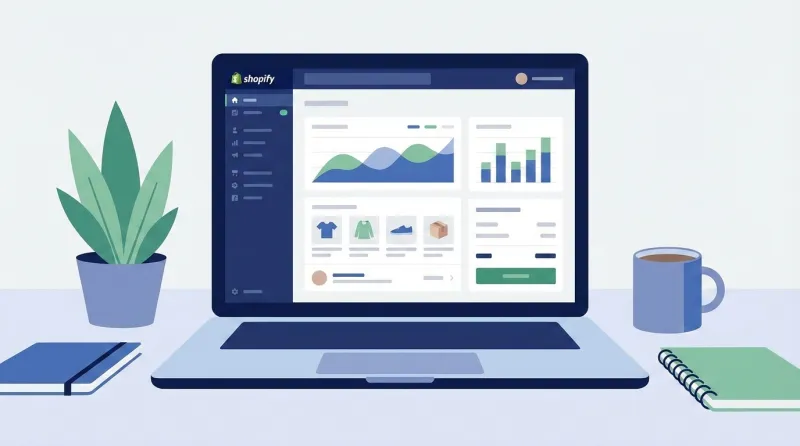
Owning an online store has never been closer to a reality than it is right now. Forget hunting for developers, wrestling with server configs, or learning to write code. In 2026, the no-code approach is the standard — and Shopify is its undisputed champion. This is a platform that lets you launch a professional e-commerce business in a single evening, with the kind of scalability that users of free DIY scripts can only dream about.
In this guide, we'll walk through the entire process — from clicking "Start free trial" for the first time, through payment and shipping setup, all the way to strategies that can put you in profit within the first few months. Let's be honest upfront: Shopify isn't cheap. But for many people, it's simply the best. Let's find out whether that includes you.
Why Shopify Is the iPhone of E-Commerce
Not long ago, launching an online store meant either installing WordPress with WooCommerce, hiring an agency to build on Magento, or spending weeks configuring an open-source platform like OpenCart. Today, more and more entrepreneurs are choosing SaaS (Software as a Service). Why? Because in 2026, time is the most expensive currency. If you spend 10 hours debugging a broken checkout on a free script, you're not saving money — you're losing it. That's time you could have spent on marketing, product sourcing, or simply sleeping.
ℹ️ What is SaaS?
Instead of buying software outright, you "rent" it via a monthly subscription. In exchange for that fee, Shopify handles hosting, security (SSL certificates, PCI DSS compliance), updates, and the performance of your store. You focus entirely on selling.
Shopify's biggest strength is its ecosystem. You get access to thousands of apps that can add features worth thousands of dollars to your store with a single click — from advanced loyalty programs and automatic translations into 20+ languages, to AI-powered product recommendation engines. It's a mature platform that's been through the growing pains so you don't have to.
Shopify vs the Competition: WooCommerce, BigCommerce, Squarespace
Before you spend a single dollar, you need to understand the landscape. Choosing a platform is a decision that will shape your business for years. Migrating a store with 500 products is a nightmare you really want to avoid.
- Shopify: The fastest setup, zero technical headaches, the gold standard for US and UK markets. The trade-off? It's the most expensive option (monthly subscription plus transaction fees).
- WooCommerce (WordPress): You only pay for hosting, and the freedom is enormous — but you're responsible for security, plugin updates, and compatibility. One rogue plugin update can take your store down at the worst possible moment.
- BigCommerce: A solid Shopify alternative with no transaction fees on any plan, but the interface is less polished and the app ecosystem is smaller.
- Squarespace / Wix: Fine for simple stores or creatives selling a handful of products. Not built to scale beyond a few hundred SKUs without things getting messy.
Shopify Pricing in 2026 — What It Actually Costs
This is the question everyone asks first. Shopify bills in USD, and the pricing structure in 2026 looks like this:
| Plan | Monthly Cost | Transaction Fee (external payment) | Best for |
|---|---|---|---|
| Starter | $5/mo | 5.0% | Selling via social media links, no full storefront needed |
| Basic | $39/mo | 2.0% | New and small stores (most popular choice) |
| Shopify | $105/mo | 1.0% | Growing stores doing $5,000+/month in revenue |
| Advanced | $399/mo | 0.6% | Scaling businesses, global sales, custom reports |
⚠️ Hidden Costs Nobody Talks About
On top of the subscription, budget for: 1. Theme: Free themes are genuinely good, but premium ones (like Prestige or Empire) cost $300–$380. That's a one-time cost, but it's real. 2. Apps: The average store ends up paying for 3–5 apps. Even at $10–$15 each, that adds up to $50+/month quickly. 3. Payment processing: If you use Shopify Payments (available in the US and UK), the transaction fee is waived. Use a third-party processor like Stripe or PayPal and you'll pay the transaction fee on top of their own processing fees.

How to Launch a Shopify Store — Step by Step
The onboarding process is designed so you genuinely can't get lost. Here's how it actually plays out:
Sign Up and Free Trial
Head to Shopify's homepage and enter your email. Shopify frequently runs a promotion where you get the first 3 months for just $1/month. That's plenty of time to build your store before committing to full pricing. No credit card required to start the trial.
Set Up Shopify Magic (AI Tools)
In 2026, you don't write product descriptions from scratch. Shopify Magic uses AI to generate compelling copy from a handful of bullet points. It can also remove backgrounds from product photos automatically and suggest replies to customer messages in your inbox. Use it — it's included in every plan.
Choose a Theme and Build Your Brand
Pick a free theme (the "Dawn" theme is a solid starting point) and customise it in Shopify's visual editor — no code required. Spend most of your time on the mobile view. Over 70% of Shopify purchases now happen on smartphones, and a store that looks amazing on desktop but clunky on mobile will hurt your conversion rate badly.
Payments and Shipping
For US sellers, activate Shopify Payments — it waives the transaction fee and adds Apple Pay, Google Pay, and Shop Pay checkout automatically. Also add PayPal for customers who prefer it. For shipping, connect USPS, UPS, or FedEx through Shopify Shipping for discounted rates. UK sellers: enable Shopify Payments (available in the UK) and connect Royal Mail or Evri for domestic orders and DHL Express for international.
Payments and Shipping — Getting the Details Right
The checkout experience is where a huge percentage of sales are lost. Getting this section right from day one will pay dividends immediately.
Payment Gateways (US and UK)
The single biggest advantage of operating in the US or UK market is that Shopify Payments is fully supported. Activate it in your dashboard and you instantly gain Visa, Mastercard, American Express, Apple Pay, Google Pay, and Shop Pay — all without paying the transaction fee. For customers who prefer PayPal (still very popular with older demographics), add it as a secondary option. For high-volume stores, Stripe is worth considering for its developer-friendly API and detailed analytics dashboard.
Shipping Carriers
Through Shopify Shipping, you get pre-negotiated discounted rates with USPS, UPS, and DHL Express (US) or Royal Mail, Evri, and DPD (UK). You can print labels directly from your Shopify admin, and customers get real-time shipping quotes at checkout. For UK sellers: if you're shipping more than 50 parcels a month, it's worth negotiating a direct account with Evri or Parcelforce — the rates can be noticeably better. For US sellers doing serious volume, look at ShipBob or ShipStation to automate fulfilment across multiple warehouses.
Taxes — Sales Tax (US) and VAT (UK)
For US sellers, Shopify Tax (built-in since 2022) automatically calculates state sales tax based on your nexus obligations — no plugin required. As your revenue grows and you establish nexus in multiple states, this feature alone is worth the subscription cost. Note that the 1099-K reporting threshold is in transition: $5,000 for 2024, with a long-term target of $600. Keep records from day one. For UK sellers, once your taxable turnover hits £90,000 (the VAT threshold from April 2024), you'll need to register for VAT and comply with Making Tax Digital rules. Shopify handles VAT calculations in the checkout automatically once you set it up — and there's a solid integration with accounting tools like Xero and QuickBooks for your HMRC Self Assessment.

Sales Psychology (CRO) — Squeezing More From Your Traffic
Getting people to your store is only half the battle. If you're pulling in 1,000 visitors a day and making zero sales, you have a conversion problem — not a traffic problem. Shopify gives you the tools to fix it without touching any code:
💡 Proven Tactics to Increase Sales
- Social Proof: Install a photo reviews app like Loox or Judge.me. People buy what other people are seen buying. A product page with 40 photo reviews converts dramatically better than one with none.
- Upselling and Cross-Selling: When someone adds a product to their cart, show them a complementary item ("Customers also bought…"). Shopify has this built in, and apps like ReConvert let you customise the post-purchase upsell page as well.
- Abandoned Cart Recovery: Shopify's built-in automation sends a follow-up email 1 hour after someone abandons their cart. Add a small discount code (-5% or free shipping) and you'll recover 10–15% of those lost sales.
- Trust Badges: Display payment logos (Visa, Mastercard, PayPal, Apple Pay) directly beneath your "Add to Cart" button. It sounds minor, but reducing payment anxiety at the decision point measurably lifts conversion rates.
Selling Globally with Shopify Markets
This is where Shopify genuinely crushes the competition. With Shopify Markets, you can sell to customers around the world from a single dashboard. The system automatically converts prices to local currencies, calculates duties and taxes at checkout, and can serve your store in the customer's language.
If you want to sell US-made products into Canada or Europe, or take UK-crafted goods to Australia and the US, Shopify is the clear choice. Managing multiple domains (.com, .co.uk, .com.au) from a single inventory is remarkably straightforward. You can even set market-specific pricing — so a product listed at $49 in the US might appear as £42 in the UK, reflecting local purchasing power rather than just a raw currency conversion.
Income Strategies: From $0 to $5,000/Month
How much can you actually earn? There's no ceiling, but there's a hard floor of ongoing costs. Here's a realistic timeline for a new store:
- Months 1–2 (Building Phase): Learning the platform, testing products, figuring out what resonates. Revenue: $0–$500. Costs: ~$150–$200 (subscription + basic apps).
- Months 3–6 (Optimisation Phase): You've found a "winning product," you're scaling paid ads on Meta or TikTok, and you're building an email list. Revenue: $500–$2,500/month.
- Month 6+ (Scaling Phase): Fulfilment is automated (or outsourced to a 3PL), email flows are running, and you're reinvesting profits into ads. Revenue: $5,000+/month is achievable for focused operators.
✅ Private Label (Own Brand)
- Highest margins — often 60–80% on physical products
- You're building real brand equity (sellable on Flippa or Empire Flippers)
- Repeat customers and genuine loyalty
❌ Dropshipping (The Entry Model)
- Low barrier to entry — no inventory investment upfront
- High risk of returns, complaints, and long shipping times (especially from overseas suppliers)
- Thin margins — often fighting for every dollar of profit
SEO on Shopify — Will Google Actually Rank You?
There's a persistent myth that SaaS platforms rank poorly in Google. It's simply not true. Shopify's technical architecture is clean, fast, and search-engine-friendly out of the box. The things that actually matter for Shopify SEO:
- Speed: Don't install 30 apps hoping to find the perfect stack. Each one adds JavaScript to your storefront. Use PageSpeed Insights to measure the impact of every app you install.
- Content: Run a blog inside your store (Shopify has a built-in blogging module). Target long-tail keywords your potential customers are searching — "best eco-friendly dog toys" beats "dog toys" for a new store every time.
- Alt text: Describe every product image properly, using natural language that includes relevant search terms. This helps Google Images traffic as well as standard search.
- 301 Redirects: When you delete or rename a product page, always set up a redirect to the closest equivalent. Losing those backlinks and ranking signals unnecessarily is a common, avoidable mistake.
AI in E-Commerce: Your Free Extra Employee
In 2026, you're not running your store alone. AI tools have become genuinely useful — not just hype — for solo operators and small teams:
- ChatGPT / Claude: Write ad scripts for TikTok and Instagram Reels in minutes. Generate product description variants for A/B testing. Draft email sequences for your abandoned cart and post-purchase flows.
- Midjourney / Canva AI: Create professional ad creatives and social media graphics without hiring a photographer or designer. Generate lifestyle images for products you haven't even received samples of yet.
- Shopify Sidekick: Shopify's own AI assistant lives inside your admin panel and answers questions like "Why did sales drop last Tuesday?" or "Which products have the highest return rates?" It's built into every paid plan and genuinely useful for quick analysis.
- Klaviyo AI / Omnisend: AI-driven email marketing that predicts the best send time per individual customer and automatically segments your list based on purchase behaviour.
Frequently Asked Questions
Do I need a registered business to sell on Shopify?
Shopify doesn't check your business registration at sign-up, but payment processors like Stripe and Shopify Payments will ask for business details when you want to withdraw funds. In the US, you can start as a sole trader with just your Social Security Number, but you should register an LLC or sole proprietorship before you start making significant income. In the UK, you can trade as a sole trader using your National Insurance number, but registering as a limited company becomes worthwhile once you're past roughly £25,000/year in profit for tax efficiency reasons. Either way — get this sorted before your first sale, not after.
Is Shopify easy to use for a complete beginner?
Genuinely, yes. Shopify's onboarding is one of the best in the industry. The visual theme editor requires zero coding knowledge, product uploads are straightforward, and the help documentation is extensive. Most people can have a functional store live within a day or two of signing up. If you get stuck, Shopify's 24/7 support (live chat and phone) is faster and more knowledgeable than most hosting company support teams.
How many products can I have in my store?
There are no product limits on any Shopify plan. You could have a single-product store (a popular model for focused brands) or a catalogue of 100,000 SKUs — Shopify handles both without breaking a sweat. The platform is built on infrastructure that serves some of the world's biggest brands, so scaling your product range is never a concern.
Can I cancel my Shopify subscription at any time?
Yes, Shopify is a month-to-month subscription with no long-term contracts required. You can close your store at any time and you won't be charged for the following month. The one exception: if you choose an annual plan for the discounted rate (typically 25% off), you're committing to 12 months upfront. For most beginners, starting monthly makes sense until you're confident the business has legs — then switching to annual saves real money.
Final Verdict — Is Shopify Right for You?
Shopify is not a toy for people who want to "give selling a try" with zero investment. It's a professional business tool, and it's priced like one. If your starting budget is very tight, consider getting your first traction on eBay, Etsy, or Amazon Marketplace to build up capital before committing to a standalone store.
But if you have a product, a marketing budget (think $500–$1,000 to start testing ads), and the genuine intent to build a brand that can handle 100 orders a day without breaking — Shopify has no serious rival. It's an investment in peace of mind and a professional image in front of customers. In 2026, e-commerce is a trust game, and Shopify gives you that trust built into every plan.
The best time to start is when you've validated your product idea enough to commit. The second-best time is right now — with the $1/month trial, the financial risk of exploring the platform is essentially zero.
📋 Shopify at a Glance
- Start-up cost: $1–$50 (depending on the current trial promotion)
- Time to launch: 2–5 days (including learning the platform)
- Difficulty level: 3/10 (intuitive, no coding required)
- Biggest advantage: Scalability, reliability, and a world-class ecosystem
- Biggest drawback: Ongoing monthly costs plus transaction fees if not using Shopify Payments

Comments (0)
No comments yet. Be the first!
Add a comment